🚀 Getting Started
EmoteGenerator uses a credit system. You always see a watermarked preview before spending download credits — no surprises. Every emote uses FLUX 2 Pro. Background is removed automatically on every emote.
| Action | Credits |
|---|---|
| Preview / Generate (FLUX 2 Pro) | 0.1 cr |
| Download PNG (all 3 Twitch sizes + WhatsApp) | 1.8 cr |
| 4 Variations batch | 0.4 cr |
| Photo → Emote (preview + download) | 0.3 + 1.8 cr |
| Emote Set / Channel Kit asset / Alert Set still | 1.8 cr |
| Alert Asset (still image) | 0.2 cr |
| Alert Animation (Kling v3 Pro, transparent WebM) | 8 cr |
| Auto BG Removal (every emote) | 🆓 FREE |
| Canvas Editor | 🆓 FREE |
💰 What 1 Emote Actually Costs You
FLUX 2 Pro quality. Freelancers charge $15–$50 per emote. Agencies: $100+. Here's your real price:
| Starter $4.99 / 10cr | Creator $19.99 / 50cr | Pro $49.99 / 150cr | |
|---|---|---|---|
| 🖼️ Static Emote (0.1cr + 1.8cr) | $0.95 | $0.76 | $0.63 |
| 📷 Photo → Emote (0.3cr + 1.8cr) | $1.05 | $0.84 | $0.70 |
| 🚨 Alert (still + animation) (0.2cr + 8cr) | $4.09 | $3.28 | $2.73 |
🏷️ Includes all 3 Twitch sizes + WhatsApp sticker. Auto BG removal on every emote — no extra step.
✍️ Prompt Guide ⭐
"A Perfect Prompt Is Your Perfect Emote"
This is the single most important skill in EmoteGenerator. The AI generates exactly what you describe — so vague prompts produce average results while specific, vivid prompts produce stunning emotes.
4 Golden Rules for Perfect Prompts
Include the style trigger word
Every art style works best when you mention it explicitly in your prompt. See the trigger words in the Art Styles section below.
Describe the emotion clearly
What should the character feel? Be specific: "wide-eyed shock", "uncontrollable laughter", "silent brooding fury", "pure unbothered vibes".
Specify your character
Species, color, distinguishing features: "orange tabby cat", "tiny green frog", "golden hamster with a crown", "small purple wizard robot".
Add mood & vibe words
Extra descriptors pull the style together: "cute", "epic", "dramatic", "cozy", "chaotic", "adorable", "brooding", "ethereal".
❌ Too vague — unpredictable results
The AI guesses everything. Random pose, random expression, random style. You might get a realistic cat portrait instead of an emote.
✅ Detailed & specific — exactly what you want
Every detail is locked in. The AI knows the style (cartoon), character (orange cat), emotion (shocked), setting (gold coins), and even the fur texture.
💡 Power Words That Level Up Any Prompt
⚠️ Color Words That Cause Black Images
The AI takes color instructions literally. Mood words used as color descriptions — like "muted", "dark", "moody", or "defeated palette" — can make the AI generate near-black or very dark results.
Avoid:
Use instead:
Style Trigger Words — Always Add One!
Include one of these in your prompt for each style:
Cartoon
"cartoon"
Pixel
"pixel art" or "8-bit"
Anime
"anime girl" / "anime boy"
Comic
"comic book"
Pastel
"pastel" or "soft pastel"
Sticker
"flat sticker" or "sticker"
Chibi
"chibi" or "chibi style"
Kawaii
"kawaii" or "kawaii art"
🎨 Art Styles
Choose the art style that fits your Twitch brand. Each style has a trigger word that dramatically improves results when included in your prompt.
Cartoon
Trigger word: "cartoon"
Bold outlines, vibrant colors, expressive faces. The classic emote look — great for PogChamp, KEKW, Sadge.
Pixel
Trigger word: "pixel art" or "8-bit"
8/16-bit retro game aesthetic. Nostalgic and instantly recognizable — perfect for gaming streamers.
Anime
Trigger word: "anime girl" / "anime boy"
Japanese animation style with large expressive eyes. Popular for waifu emotes and emotional reactions.
Comic
Trigger word: "comic book"
Bold ink outlines, halftone dots, POW-style action effects. Perfect for hype and action emotes.
Pastel
Trigger word: "pastel" or "soft pastel"
Soft pastel illustration with gentle muted colors and a dreamy, warm aesthetic. Perfect for cozy or wholesome emotes.
Sticker
Trigger word: "flat sticker" or "sticker"
Bold flat design sticker with vibrant saturated colors and thick outlines. Clean graphic look — great for punchy, simple emotes.
Chibi
Trigger word: "chibi" or "chibi style"
Super deformed chibi with oversized round head, tiny body, and huge sparkling eyes. The quintessential adorable emote style.
Kawaii
Trigger word: "kawaii" or "kawaii art"
Ultra cute Japanese kawaii style with soft pastel tones, large shiny eyes, and rosy blush marks. Irresistibly adorable.
⭐ FLUX 2 Pro + Easy Mode Builder
Every generation uses FLUX 2 Pro — the latest commercial-grade AI model. 3 ways to create: ⚡ Easy Mode, 🔧 Expert Mode, and 📷 Photo→Emote.
✨ FLUX 2 Pro — All 8 Styles
fal-ai/flux-2-pro
0.1 cr preview · 1.8 cr download
Sharp lines, vibrant colors, correct anatomy — consistent across all 8 art styles. The same model professionals use for commercial work. Photo→Emote uses FLUX Kontext Max for identity-preserving face transformations.
⚡ Easy Mode Builder
3 modes: Easy · Expert · Photo→Emote
Included
Pick character type, emotion, art style, and extras from dropdowns — no prompting skills needed. Easy Mode builds the perfect prompt automatically. Switch to Expert Mode for free-text control.
💡 Photo→Emote and Character Reference use FLUX Kontext Max for identity-preserving transformations.
✨ Emote Sets
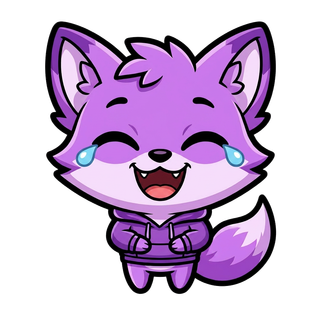
The Set Maker builds a whole matching emote set from one character — the same character stays perfectly consistent across every emotion. Powered by Nano Banana Pro, with optional gaming text labels.
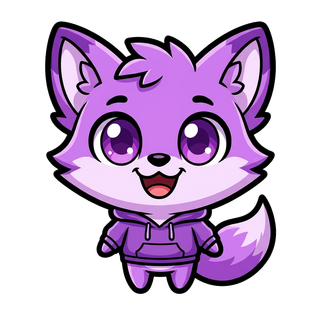
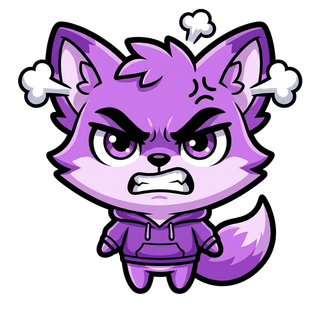
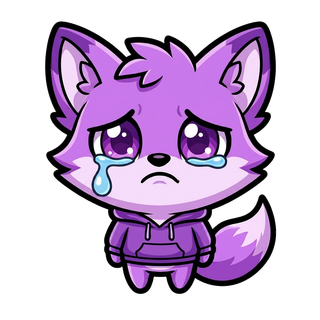
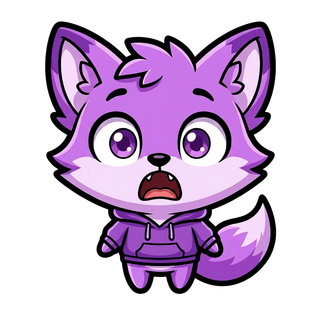
- 1Open the ✨ Emote Set tab on the generator (or go to /sets)
- 2Pick a character and add appearance details (e.g. fox + purple hoodie), then choose an art style
- 3Select the emotions you want (2–6). The first pick becomes your character anchor
- 4Optionally turn on text labels (RAGE, POG, KEKW…)
- 5Preview the character first (1.6 cr), approve it, then generate the rest of the set
4️⃣ Batch Mode — 4 Variations
Instead of generating one emote at a time, Batch Mode creates 4 different FLUX Pro interpretations of your prompt simultaneously.
The AI interprets the same prompt differently each time. Batch Mode shows you all 4 results so you can pick the best one — without re-generating manually.
- 1Enable the "Batch (4x)" toggle on the generator page
- 2Write your prompt and hit Generate
- 3All 4 results are saved to My Emotes
- 4Download only the one you like best (1.8 cr)
📷 Photo → Emote Mode
Upload any photo and convert it into an AI-generated emote in your chosen art style. Works great with selfies, pet photos, or even existing artwork.
- 1Switch to "📷 Photo → Emote" at the top of the generator
- 2Upload your photo (PNG, JPG, WebP — max 10 MB)
- 3Select your desired art style (Cartoon, Anime, Chibi, etc.)
- 4Optionally add a prompt for extra details (mood, expression, accessories)
- 5Generate — 0.1 cr preview + 1.8 cr download (FLUX Kontext Max)
🎯 Character Reference
Upload an existing character image and the AI will preserve its visual identity — colors, design, and proportions — while generating it in a new pose, expression, or style.
- 1Enable the "🎯 Character Reference" toggle below the style selector
- 2Upload your reference character image (PNG/JPG)
- 3Adjust the Character Strength slider (65–85% is usually best)
- 4Write your prompt describing the new pose or expression
- 5Generate — the AI keeps your character's look while adding the new details
🎨 Brand Colors
Lock up to 3 hex color codes, and the AI will automatically incorporate them into every generation. Perfect for maintaining visual consistency across all your emotes.
- 1Click "🎨 Brand Colors" in the generator
- 2Enter up to 3 hex codes (e.g. #9146FF, #FFFFFF, #000000)
- 3Colors are auto-injected into every prompt
- 4Toggle off anytime to generate freely
⬇️ Download & Emote Sizes
Twitch requires emotes in exactly 3 sizes. EmoteGenerator exports all three automatically in one download.
✅ Pay 1.8 credits once to unlock a download → get all 3 Twitch sizes + WhatsApp sticker (512px WebP) for free. No extra cost per size.
🎬 Alert Animations
Create animated alert overlays for your stream. Choose from 6 alert types — the AI generates a branded still image (0.2 cr), then Kling v3 Pro animates it and the background is removed automatically (8 cr). You get a fully transparent WebM for OBS, Streamlabs, or StreamElements. With Alert Sets, one consistent character appears across all your alert types.
Follow
New follower alert animation
Sub
Subscriber alert animation
Raid
Raid incoming alert animation
Donation
Donation alert animation
Bits
Bits cheer alert animation
Host
Host event alert animation
Still Image (0.2 cr)
FLUX 2 Pro
Branded still alert image — the base for your animation
Animation (8 cr)
Kling v3 Pro + BEN2
Premium cinematic motion, then automatic background removal — delivered as a transparent WebM (VP9 + alpha)
🪄 Auto BG Removal — Automatic!
Background removal is fully automatic on every emote you generate. BiRefNet AI removes the background after every generation — every download is already a clean transparent PNG, ready for Twitch. No button, no extra step.
- 1Generate any emote as normal (Easy Mode, Expert Mode, or Photo→Emote)
- 2BiRefNet AI automatically removes the background in the same step
- 3Download your emote — already a transparent PNG
- 4All 3 Twitch sizes + WhatsApp sticker are all transparent
🖊️ Canvas Editor — Free!
Add custom text overlays to your emotes directly in the browser — no Photoshop needed. Perfect for "KEKW", "OMEGALUL", "GG EZ", "HYPE", or any text label.
- 1Open any emote in My Emotes (Dashboard)
- 2Click "Open in Canvas Editor"
- 3Click "Add Text" and type your label
- 4Adjust font family, size, color, stroke, shadow, and position
- 5Drag the text layer to exactly where you want it
- 6Click Download to save the final PNG
⏳ Coming Soon
LoRA Character Training is coming in a future update. We are currently working with next-generation models to make this feature as powerful and accurate as possible.
- 1Train the AI on your own custom character — any OC, mascot, or design
- 2Generate that character in any of the 8 art styles with perfect consistency
- 3Use expression presets (Happy, Sad, Angry, Shocked, Cool) for quick variations
- 4One-time training, unlimited generations
🔔 This feature is coming soon. All existing plans will include access when it launches.
🎙️ Channel Kit
Build your whole channel look around one consistent character — panels, banner, offline screen and avatar, all generated to match. AI-designed text is baked right into the artwork.
- 1Go to the /panels page
- 2Describe your character — or pick one of your emotes / upload your own mascot
- 3Pick your assets and approve the first one (your anchor)
- 4Generate the rest — every asset matches the anchor character
- 5Download — each asset comes cropped to its exact platform size (1.8 cr per asset)
🚨 Alert Assets
Create animated alert overlays for Streamlabs, StreamElements, OBS, or any streaming tool.
- 1Go to the /alerts page
- 2Choose your alert type
- 3Select a style and customize text, colors, and animation
- 4Preview the animation
- 5Download the transparent WebM — plug directly into your streaming software
🛒 Emote Shop
Browse and buy ready-to-use community emotes in the Emote Shop. All 8 art styles — find the perfect emote in seconds, no generation needed.
What you can do in the Emote Shop:
- 1Go to the Emote Shop (/shop)
- 2Filter by art style to find your vibe
- 3Click any emote to preview it
- 4Buy with credits — download all 3 Twitch sizes instantly
You're Ready to Create!
Apply what you've learned. The more specific your prompts, the more stunning your emotes.
✨ Open Generator →